Atlas
A design system built from one token file: two layers of tokens, thirteen components, and a build that refuses to ship drift. The travel-ops dashboard is what it makes.

One screen is easy. The tenth is the test.
Atlas is for frequent travelers and the coordinators who manage their trips: three to six trips a year, often overlapping, with the details spread across airline apps, inboxes and spreadsheets. They need one screen that shows what's moving, what's at risk, and how much of the budget is gone.
Building that screen once is the easy part. The real goal was a system that keeps the next ten screens consistent without me in the room: a named role for every color, a component for every repeated piece, and checks that catch drift before a reviewer has to.
One file, two layers, enforced.
The direction is a calm ops console: a deep teal-black canvas, a seafoam accent for what's moving, coral
kept for what's wrong, and numbers set in mono so they read like instrument readouts. All of it lives in one
file, tokens.json, in two layers. Primitives are the raw palette, 23 colors named by hue and
lightness (teal-300).
Semantic roles name a job (primary, card, foreground-muted): 18 of
them, each pointing at a primitive, with a dark and a light value. Components only ever use roles.

- A generator that says no.One zero-dependency script turns the JSON into the CSS for the app and Storybook. Before writing anything, it rejects a primitive that isn't a hex color, a role that skips the palette or points at a key that doesn't exist, a role missing its light value, a type style with an unknown font, and spacing off the 4px scale.
- The build is the reviewer.The generated files are committed, and
npm run
            build
starts by checking them. If one is stale or was edited by hand, the build fails, so drift never reaches production. - Storybook speaks the same tokens.The generator also writes the tokens as TypeScript, because Storybook's own interface can't read CSS variables. Its sidebar, its accent and its docs pages are themed from the same file as the app.
- Accessibility is decided in the tokens.Contrast is checked where values are defined, not after a screen is built. Status tints are capped so badge text stays at AA in both themes (light mode: primary 5.4:1, warning 5.8:1, info 5.0:1), so every component that uses them inherits it.

Thirteen components, two tiers.
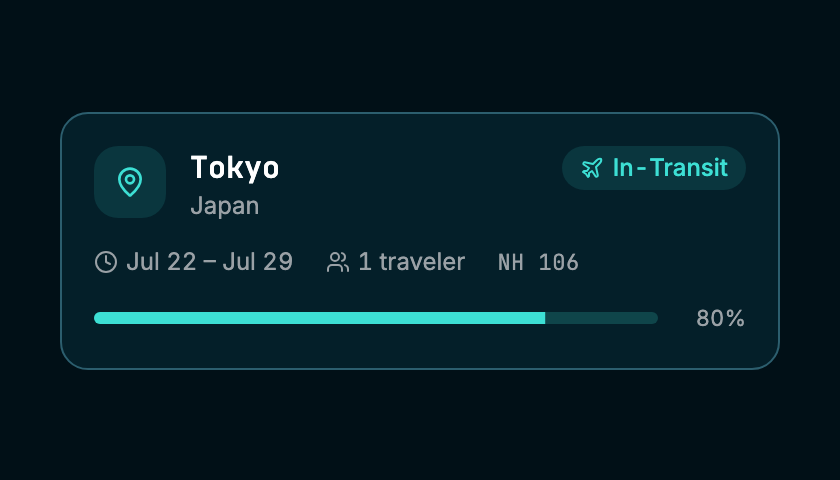
The library has two tiers. Seven UI primitives (Button, Card, Badge, Input, Tabs, Progress, Skeleton) start from shadcn/ui and are restyled through the semantic roles; nothing in them knows about travel. Six travel components (TripCard, MetricCard, BudgetRing, IconContainer, EmptyState, PanelError) are built from those. The dashboard's panels only arrange components, so the page itself holds no styling decisions of its own.

- Status is a prop, not a style.A TripCard takes
statusand looks up its color role, tint, icon and label from one table. Status is never color alone: in-transit is a plane, delayed a warning triangle, upcoming a calendar, so the feed reads in grayscale and for colorblind users. - No raw colors anywhere.Not one hex value or raw palette class appears in the
components or panels. A primary button is
bg-primary, a card isbg-card rounded-card, which is what lets the light theme work without touching component code. - Props in, nothing fetched.Components are presentational. All data lives in one hooks file, so swapping the mock data for a real API touches no component.
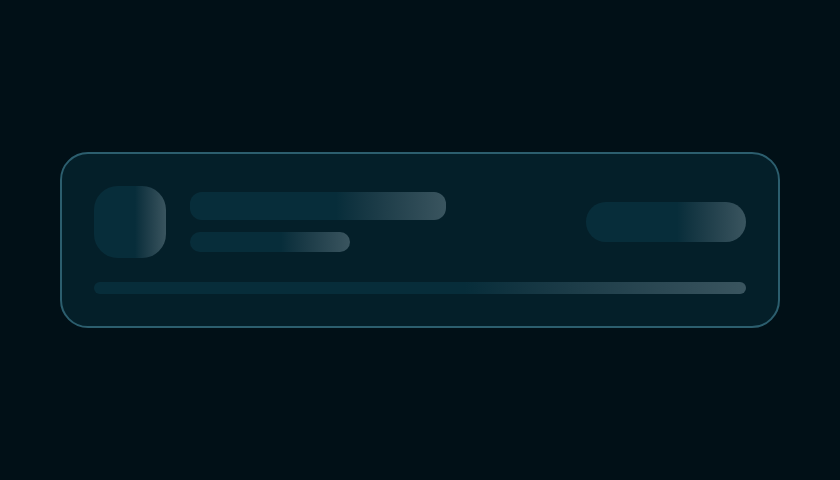
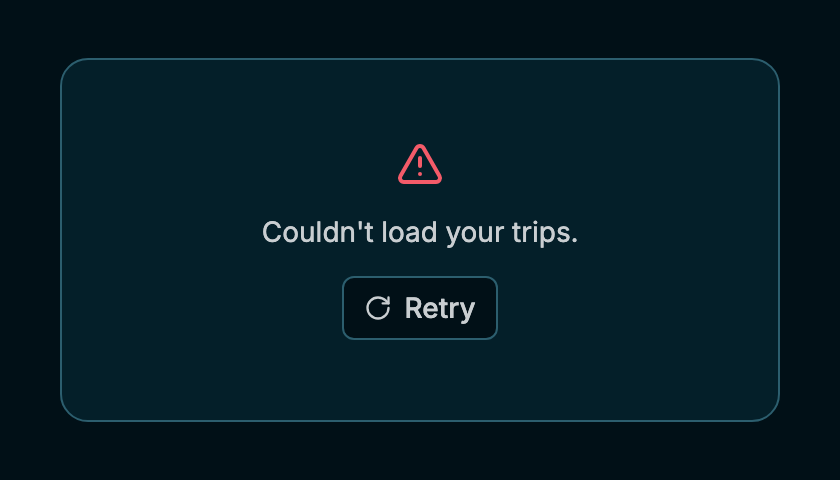
- States belong to the component.Each data component draws its own loading skeleton, and each panel owns its empty and error states behind its own error boundary. If the trip feed fails, the ops board and budget keep working.

Placed by what needs attention.
Each panel answers one question. Whatever needs action gets the most space and the top-left spot; slower-moving numbers sit at the edges.
- 1 What's happening right now?
- 2 How's the year going?
- 3 Show me one trip.
- 4 Am I over budget?
- 1 · Ops boardThe trip in motion gets the most space. Delays and the next departure sit right under it, so nothing that needs action is off-screen.
- 2 · KPI tilesFour year-to-date numbers in a 2×2 block beside the ops board, so the top of the page reads as one status check before any scrolling.
- 3 · Trip feedEvery trip as a card, with status tabs and search for when a coordinator is tracking several travelers at once.
- 4 · Budget railAnnual budget as a ring in the side rail. It changes slowly, so it gets less space than live status.
Written for whoever builds the next screen.
Storybook is the system's manual, not a component gallery. It opens with the foundations, then the rules, then every component in every state, so someone new can build a screen without asking which gray to use.

- Foundations first.Primitives and Semantics pages are generated from the same token file, so they can't go stale. Each role shows its dark and light value side by side, and the primitive it points at.
- Every state is a story.38 stories cover the 13 components: defaults, variants, loading, empty and error. Six also have an edge-case story with long names or extreme values. One earned its keep: a long trip name pushed TripCard past its column. The fix went into the component, so every screen that uses it got it at once.
- Recipes show composition.A StatRow recipe shows a row of MetricCards working together the way the dashboard uses them, so the step from component to screen is documented too.
What the checks changed.
Before calling it done, I reviewed the markup for assistive tech and tested the layout on a phone-sized screen. Both checks found something.
- Screen readers: the filters weren't really tabs.The status filters looked like tabs,
but there were no tab panels behind them, so tab semantics would announce something that doesn't
exist. I rebuilt them as a labeled group of toggle buttons with
aria-pressed, so a screen reader hears "Filter trips by status" and which filter is on. - Small screens: the tabs broke the page.At 390px the filter row pushed the page to 465px wide and cut off the nav. The tabs now scroll in their own strip, and KPI values wrap instead of overflowing.
What I'd do next.
A token change is now one edit to one file, and a single commit carries it to the app, the docs and both themes. The build won't let the generated CSS fall behind, and the docs can't, because they're generated too.
- Guard the components, not just the tokens.The generator polices the token file, but
nothing stops a future component from writing
bg-teal-300. Today none do. A lint rule would keep it that way. - Let the budget ring warn on its own.Today it only switches to the warning color when it's told to. Going over budget should switch its color role and label automatically, inside the component.
- Catch visual changes.Every state already has a story. Screenshot diffs on those stories would flag an unintended change before it merges.